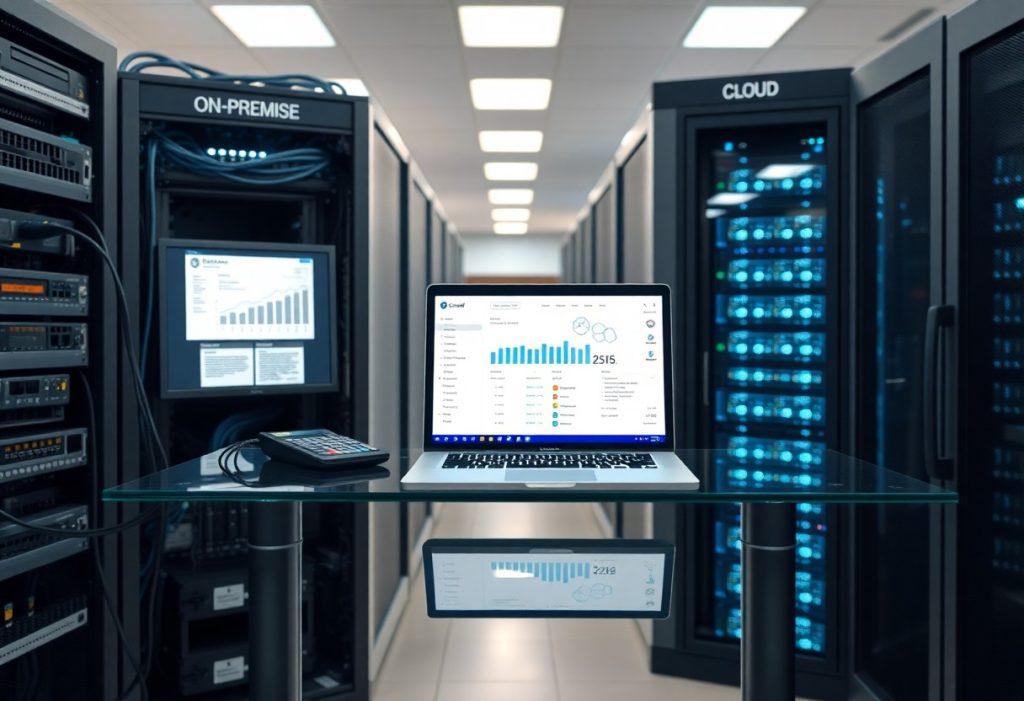
Cloud ERP vs — cloud ERP vs. On-Premise – Integrating Financial Systems with Your Web Store is one of the most important topics for WordPress site owners. Read on to learn how it works and what practical steps you can take today.
You must evaluate how each deployment affects your checkout, accounting accuracy and cash flow: integration reliability and real‑time data synchronization determine whether orders post correctly, while data breaches or extended downtime pose the biggest operational risk; Cloud ERP offers scalability, lower upfront cost and faster updates, whereas on‑premise can deliver tighter control and predictable long‑term costs – you should map workflows, compliance and IT capability before choosing.
Key Takeaways:
- Cloud ERP offers faster deployment, automatic updates, and scalable handling of web store traffic; on‑premise gives more control, deeper customization, and stricter data residency options.
- Integration patterns differ: cloud favors API/webhook real‑time sync and managed middleware, while on‑premise often requires custom connectors, secure tunnels, and scheduled batch processes.
- Assess total cost, performance, and risk: cloud reduces upfront capital and IT maintenance but may introduce subscription costs and vendor lock‑in; on‑premise lowers licensing flexibility and increases operational overhead for scaling.
Cloud ERP vs: Understanding ERP Systems
Definition of ERP Systems
ERP systems are integrated platforms that centralize transactional and master-data processes across finance, inventory, sales, procurement, HR and manufacturing so you can operate from a single source of truth. They replace spreadsheets and siloed databases by enforcing standardized workflows, unified chart of accounts and consistent tax/treatment rules across business units; vendors you’ll commonly see in this space include SAP S/4HANA, Oracle Cloud ERP, NetSuite and Microsoft Dynamics 365.
When you evaluate ERP, focus on how it models your business: whether it supports multi-entity consolidation, multi-currency ledgers, and configurable posting rules. In practice, that means the same sales order created in your web store can produce linked records for inventory reservation, cost of goods sold, tax liability and accounts receivable without manual intervention.
Key Functions of ERP Solutions
Core functions you should expect are general ledger, accounts payable, accounts receivable, fixed assets, cash management, inventory and order management, procurement, and basic CRM – plus embedded reporting and workflow engines. For example, the finance module typically supports multi-ledger accounting, automated intercompany eliminations, and audit trails; firms that move to integrated ERP often report a 50-80% reduction in month-end close time through automated reconciliations and real-time posting.
Supply chain and order management tie directly into the web store: SKU mapping, reservation logic, drop-ship workflows and return processing all live in the ERP so you can see committed vs. available inventory in real time. That visibility reduces stockouts and phantom inventory issues that otherwise drive lost sales and costly manual corrections.
More specifically, you should map ecommerce events to accounting events: order capture → payment authorization → shipment → revenue recognition and tax posting. If your business uses subscriptions or deferred revenue (ASC 606 / IFRS 15), verify the ERP supports revenue schedules and automated amortization so you avoid manual journal entries and compliance gaps.
Importance of Financial Systems in ERP
The financial module is the system of record for your business performance and compliance, so it affects reporting, tax filings and auditability. When you connect a web store, every sale, refund, discount, fee and payment processor charge must reconcile back to the ledger; a single misconfigured tax code or payment mapping can produce material reporting errors that ripple into tax returns and cash forecasts.
Operationally, finance drives working capital management: cash positioning, credit control, and supplier payment timing determine liquidity. If you run multiple entities or currencies, the ERP must support automated currency revaluation, statutory reporting packages and intercompany settlements to compress consolidation cycles from weeks to days.
On the technical side, ensure your finance system exposes APIs or event streams so you can capture granular document-level detail from the web store (orders, refunds, chargebacks, fees) and apply business rules consistently. Failing to reconcile processor fees, withheld funds, or deferred revenue automatically is one of the most common sources of month-end variance and can leave you with significant manual adjustments and audit queries.

Cloud ERP
Overview of Cloud ERP
You’ll find cloud ERP delivered as multi-tenant SaaS or single-tenant managed instances hosted on public clouds (AWS, Azure, Google Cloud) or vendor data centers; common examples include NetSuite, SAP S/4HANA Cloud and Microsoft Dynamics 365. Deployments often shift cost from CAPEX to OPEX via subscription pricing, and many smaller implementations can go live in weeks while complex enterprise projects may span several months.
Because the software is centrally hosted, you rely on the provider for uptime, patching, and scaling, and integrations to your web store happen over APIs, webhooks or prebuilt connectors. Typical vendor SLAs advertise around 99.9% availability (roughly under nine hours downtime per year) while security controls usually include TLS in transit, AES-256 at rest, and certifications such as SOC 2, ISO 27001 or PCI DSS.
Advantages of Cloud ERP
You gain much faster time-to-market for eCommerce integrations because standard connectors and API-first architectures let you link order, inventory and accounting flows without building a full custom middleware stack; for example, many NetSuite-based merchants connect Shopify or Magento in a matter of weeks using third-party integrators like Celigo. Costs shift to subscription fees, which lowers upfront investment and often reduces IT maintenance burden – many organizations report materially lower internal support overhead after migration.
Scalability and automated updates mean your system can handle seasonal spikes (Black Friday/Cyber Monday) without large capital provisioning, and security patching is handled by the vendor which reduces your patch management workload. Real-time inventory and financial posting become more achievable: you can feed your BI dashboards and cash-flow projections with near-real-time data instead of daily batch exports.
More detail: expect deployment timelines to vary – simple rollouts frequently complete in 6-12 weeks, while enterprise S/4HANA Cloud migrations can take 6-18 months depending on customizations and data migration volume. The biggest positive here is predictable operational cost and rapid feature access, but quantify total cost of ownership over 3-5 years since subscription fees can exceed one-time CAPEX depending on scale and feature needs.
Challenges of Cloud ERP
You’ll confront limits on deep customization in multi-tenant SaaS offerings: custom modules that worked in your legacy on-premise ERP may need rework or be impossible without a single-tenant or hybrid approach. Data residency and regulatory demands (GDPR, local tax rules, industry-specific controls) can force special architecture decisions or add compliance costs.
Network dependency is another operational risk: loss of connectivity directly stops transaction flows between your web store and ERP, and API rate limits or throttling can cause order processing latency during traffic surges. Vendor lock-in is a real concern – exporting historical transactions, chart of accounts mappings and custom reports can be time-consuming and expensive.
More detail: mitigate integration and migration complexity by using iPaaS or middleware (MuleSoft, Boomi, Celigo) to decouple your storefront from the ERP and by planning a phased data migration (archive older transactions, migrate recent 2-3 years first). Additionally, build offline-capable POS or order-capture fallbacks if your retail footprint requires high availability independent of internet connectivity.
On-Premise ERP
Overview of On-Premise ERP
Your on-premise ERP runs inside infrastructure you own or lease, with the application, database and integrations hosted on your servers or in your co-location space. Typical legacy systems you’ll encounter are SAP ECC, Oracle E-Business Suite or older Microsoft Dynamics deployments; these systems often have a 3-7 year lifecycle and require scheduled hardware refreshes, OS patches and database tuning under your team’s control.
Integration patterns for on-premise setups tend to use direct database access, message brokers or middleware like SAP PI/PO, custom APIs and scheduled batch jobs. For example, a mid-market retailer with ~200,000 SKUs and 10,000 daily orders commonly implements a hybrid approach: near-real-time stock and order APIs for storefront responsiveness and nightly batch jobs for heavy master-data sync, because full synchronous calls to the ERP would introduce unacceptable latency.
Advantages of On-Premise ERP
You gain complete control over customization, release timing and data residency, which matters when your finance processes require deep modifications to posting logic, tax engines or multi-ledger rules that cloud packages won’t easily accommodate. Many finance teams prefer on-premise when they need bespoke transaction flows, complex intercompany consolidations or to avoid vendor-enforced upgrade schedules.
Performance predictability is another advantage: when you own the stack you can tune databases, isolate networks and provision I/O to meet peak order volumes without noisy-neighbor issues common in shared cloud environments. In regulated industries – for instance, financial services or healthcare – on-premise deployments often simplify compliance with strict data-handling controls because you control encryption keys, physical access and network segmentation.
You should also weigh cost amortization: initial CAPEX is higher, but you can spread it over 5-7 years and avoid per-user subscription inflation. Typical initial implementations for a mid-size company range from roughly $250k to over $2M depending on scope, and annual maintenance often runs around 15-22% of license value – a model that can be financially preferable if you plan heavy, long-term customization.
Challenges of On-Premise ERP
The biggest hurdles are upfront cost, ongoing operational overhead and slower time-to-market for new integrations or commerce features. Upgrades can take months and often break custom integrations; migrating from SAP ECC to S/4HANA, for example, frequently requires substantial data rework and interface rewrites that stall storefront initiatives if you don’t plan capacity and timelines in advance.
Scaling for traffic spikes and providing 24/7 availability for an e-commerce site is also harder on-premise: you must provision excess capacity, design resilient DR plans and maintain skilled staff to manage middleware, API gateways and security. Delivering modern RESTful, event-driven integrations to a headless web store typically demands additional middleware or API layers, increasing complexity and points of failure.
Operational risk is tangible: if you underinvest in disaster recovery and high-availability, a single datacenter outage can halt order processing and revenue flow. Achieving an aggressive RTO/RPO (for example, RTO under 4 hours) usually requires hot-standby sites or cloud-based DR, which can substantially increase your total infrastructure bill and management burden.
Integrating ERP with Web Stores
Importance of Integration
When you integrate your ERP with your web store, you eliminate manual reconciliation and reduce order-to-cash cycles – for many merchants this means shifting from same-day manual updates to near real-time synchronization that cuts fulfillment errors by a large margin. For example, retailers that move from nightly CSV updates to API-driven stock sync often see inventory mismatch rates drop from double digits to under 1-2%, which directly reduces cancellations and chargebacks.
You also gain unified financial reporting: sales, refunds, taxes, and shipping costs flow into general ledger entries automatically so you can close books faster. When you automate tax codes and payment posting, you lower month-end reconciliation time and provide controllers with audit-ready trails – a material benefit when you must support VAT/GST or complex multi-currency sales.
Methods of Integration
Common approaches include file-based batch transfers (CSV/XML), EDI for large B2B flows, plug-in connectors for platforms like Shopify/Magento, direct API-to-API integrations, and middleware/iPaaS (integration platforms as a service) that handle mapping and orchestration. File-based methods work for low-volume or legacy systems, while APIs and webhooks are the standard for real-time inventory, pricing, and order acknowledgements.
Each method trades off speed, cost, and maintainability: point-to-point API integrations give the lowest latency but can be expensive to maintain across many channels; iPaaS/middleware centralizes transformations and retries, lowering long-term support overhead but adding subscription cost; and batch exports are inexpensive to implement but raise the risk of overselling during peak demand.
On the technical side, plan for data transformation (field mapping, units of measure), error handling (dead-letter queues, alerts), and idempotency in order endpoints to prevent duplicate postings. Also anticipate API rate limits from e-commerce platforms and implement queueing or backpressure so your ERP isn’t overwhelmed during flash sales.
Choosing the Right Integration Method
Decide based on transaction volume, latency needs, compliance requirements, and your team’s capacity to maintain integrations. If you process fewer than a few hundred transactions per day and your ERP supports scheduled imports, batch files may be acceptable; but if you run thousands of SKUs across multiple channels or peak events, real-time APIs or an iPaaS are typically necessary to prevent stockouts and revenue loss.
Cost matters: initial implementation can span from a few weeks for simple connector installs to several months for custom API orchestration, and total cost of ownership includes ongoing updates, monitoring, and platform fees. Prioritize integrations that support robust logging and automatic reconciliation so your finance team can reduce manual exceptions and shorten close cycles.
Run a pilot before full rollout: sync a limited SKU set or one sales channel, measure order sync latency, inventory mismatch rate, and manual exception hours per week, then scale once targets are met. That pragmatic approach reduces risk and lets you validate whether a direct API, middleware, or hybrid solution delivers the business outcomes you need.
Comparing Cloud ERP and On-Premise ERP for Web Store Integration
Cost Comparisons
Cost comparison
| Cloud ERP | On-Premise ERP |
|---|---|
| Subscription pricing (SaaS): typically $50-$500 per user/month depending on modules and vendor. | Upfront perpetual licenses: can range from $100k to several million for mid-to-large deployments. |
| Implementation 3-6 months for standard web-store connectors; many vendors offer prebuilt integrations that reduce effort. | Implementation often 6-18 months with custom middleware for complex catalogs and promotions. |
| Operational costs include subscription, integration platform fees, and cloud transaction costs; scaling mostly incremental. | Operational costs include hardware, datacenter, backup, and typically a 15-25% annual maintenance/support fee on license value. |
| Predictable monthly OPEX makes budgeting easier for fast-growing stores. | Higher initial CAPEX but potential lower long-term cost if you fully amortize large deployments and control infrastructure. |
You can often lower time-to-value with cloud ERP because prebuilt connectors and managed hosting cut down consultancy hours; a mid-market retailer, for example, may move from an 8-week integration plan to 3-4 weeks with a vendor-provided connector. If you prioritize steady monthly spend and rapid rollout, cloud typically wins on speed and predictability.
If your organization already has heavy capital investments, large negotiated license discounts, or internal IT teams that prefer ownership of assets, you might find on-premise gives you lower marginal cost over a long horizon, but you must account for network, backup, and ongoing patching labor that often gets underestimated.
Performance Metrics
Performance metrics comparison
| Cloud ERP | On-Premise ERP |
|---|---|
| Uptime SLAs commonly 99.9%-99.99%; global CDNs and edge caching improve storefront responsiveness for end users. | Uptime depends on your infrastructure and ops maturity; with proper HA design you can hit similar SLAs, but it requires investment. |
| API latency typically 50-250 ms for SaaS endpoints from major regions; auto-scaling handles traffic spikes. | Internal API latency can be <50 ms on LAN, beneficial for low-latency batch processes; external traffic depends on your network setup. |
| Concurrency handled by vendor scaling; peak shopping events (Black Friday) supported if you provision appropriate tiers. | Must architect for peak concurrency yourself-requires load testing and spare capacity or burst-cloud hybrid strategies. |
| Maintenance windows are vendor-managed, often with rolling updates to minimize downtime. | You control update timing but are responsible for testing and patching; mismanaged updates pose availability risk. |
You should measure SLA buys versus actual needs: if your checkout API must sustain 5,000+ concurrent sessions during promotions, cloud vendors often let you scale elastically without large capital outlay. Many ecommerce teams report 30-60% fewer incidents post-migration to cloud because vendor ops handle patching and DDoS protection.
More info: consider end-to-end latency, not just ERP response time-network hops, middleware, and storefront caching add cumulative delay. If you require sub-100 ms end-user checkout flows for high-conversion UX, combining edge caching for static assets with on-premise transaction processing or a hybrid architecture can deliver that profile while keeping ERP data centralized.
Use Case Scenarios
Use cases
| Cloud ERP Best Fit | On-Premise ERP Best Fit |
|---|---|
| Fast-growing SMBs and mid-market stores that need quick integration, predictable OPEX, and frequent updates. | Large enterprises with strict data residency, heavy customizations, or existing investment in datacenter and middleware. |
| Omnichannel retailers using marketplace selling and multiple storefronts benefit from multi-tenant integrations and prebuilt connectors. | B2B manufacturers with complex MRP processes, specialized rating engines, or regulated industries (finance, defense) that require full control. |
| Cross-border ecommerce that needs global availability and built-in tax/VAT plugins. | Companies that require offline, air-gapped operations or deterministic batch processing windows controlled internally. |
If you operate a subscription-based web store or a DTC brand expanding rapidly into new markets, you’ll likely gain more from cloud ERP’s built-in tax, payment, and localization services; one DTC brand scaled from three to 12 markets in 18 months by leveraging a SaaS ERP and connector ecosystem. Conversely, if you run a legacy manufacturing ERP that feeds production lines and you need tight control over change windows, on-premise may be the safer operational fit.
More info: hybrid patterns are common-use cloud ERP for customer-facing catalogs, order orchestration, and payments while keeping sensitive manufacturing or financial ledgers on-premise behind controlled networks; this approach gives you the agility of cloud for the store and the governance of on-premise for regulated back-office systems.
Best Practices for Implementation
Assessing Business Needs
Start by mapping your end-to-end order flow and quantify volumes: orders/day, SKUs, peak transactions per hour and average cart value. If you process 5,000 orders/month with seasonal spikes of 3x, you need real-time inventory sync and an ERP that handles burst API traffic; smaller volumes can tolerate nightly batches. Define which systems must integrate immediately (payments, shipping, tax engines, CRM) and which can be phased in, then set target KPIs such as reducing order-to-cash by 30% or reconciliation time from hours to minutes.
Assess regulatory and data residency requirements up front-multiple EU countries, for example, raise VAT/tax complexity and may require data residency or special reporting. Include total cost of ownership scenarios over 3-5 years (licensing, hosting, middleware, implementation services) and build growth assumptions (e.g., 20-30% annual traffic growth) so your chosen architecture scales without repeated rip-and-replace.
Selecting the Right ERP Solution
Compare platforms against your integration matrix: do you need open REST APIs, webhooks, or message-bus support? You should prioritize systems with documented API throttling limits, SDKs in your stack languages, and a marketplace of prebuilt connectors for common web-store platforms like Shopify, Magento, or BigCommerce. For deployment speed, cloud SaaS implementations often take 3-6 months, whereas on-premise or heavy customization projects commonly run 9-18 months.
Weigh customization versus configuration: if you need deep process changes for order splits, backorders, or multi-entity accounting, prefer an ERP that supports extensibility through plugins or low-code platforms rather than heavy core customizations that complicate upgrades. Also evaluate vendor stability, partner ecosystem, and reference customers in your industry-seeing a retailer reduce month-end close from five days to one is a stronger signal than polished marketing collateral.
Drill into SLAs and technical limits before contracting: require 99.9%-99.99% uptime clauses, clear escalation paths, and quantifiable remedies. Verify API rate limits (calls/minute), expected latency, and whether multi‑tenant architecture meets your security and compliance needs. Finally, model licensing: SaaS per-user fees often range from $50-$300/user/month, while perpetual licenses plus maintenance can be a six-figure upfront investment-match the pricing model to your cashflow and growth plan.
Planning for Change Management
Build a governance structure with an executive sponsor, program lead, and cross-functional steering committee that meets weekly during rollout. You should run a pilot in a controlled segment-one sales channel, region, or 10% of SKUs-to validate integrations, master data quality, and customer-facing behaviors before broad go-live. Tie every phase to measurable KPIs (fulfillment accuracy, payment reconciliation time, returns processing time).
Plan phased cutovers with clear rollback criteria and runbooks: define acceptance tests (e.g., reconcile 1,000 sample orders with zero differences), data migration validation steps, and a black‑box go/no-go checklist for each wave. Assign clear owners for incident response and post-go-live hypercare so issues don’t linger and customer experience remains protected.
Include contingency buffers in timelines-typical implementations hit unexpected data quality issues or third-party adaptation needs that can add 2-6 weeks. Use parallel runs where possible (old and new systems operating side-by-side for a week) to detect reconciliation gaps and reduce business disruption.
Training and Support
Design role-based training that focuses on end-to-end scenarios: a customer service rep should practice full return-to-refund workflows, whereas a finance user will focus on reconciliations and journal entries. Blend formats with e-learning modules for basics, instructor-led workshops for configuration owners, and hands-on labs; target 4-8 hours of active training per user for core functions and additional shadowing for advanced roles.
Establish support SLAs, internal tiered support, and vendor escalation paths before go-live. You should track mean time to resolution targets (for example, 8 hours for P2 issues) and maintain a knowledge base of known issues and workaround steps. Also formalize a post-go-live review cadence (weekly for 8 weeks, then monthly) to monitor KPIs and capture continuous improvement items.
Create competency sign-offs and simulation-based assessments so you can certify teams before they are fully responsible for live operations. Simulate peak-day scenarios (order surges, payment failures, high return volumes) during training to ensure support teams can perform under pressure and reduce incident volume after launch.
Final Words
To wrap up, you should weigh scalability, cost structure, control, and integration ease when choosing between cloud ERP and on-premise for your web store – cloud gives faster deployment, lower upfront investment, built-in connectors, and real-time financial visibility, while on-premise gives deeper control, customization, and data residency options; a hybrid approach can let you balance both.
When you implement, prioritize APIs and middleware, assess total cost of ownership and security posture, run a pilot to validate order-to-cash flows, and align stakeholders on data migration and SLAs so your integrated financial system reduces errors, accelerates cash flow, and supports growth.
FAQ
Q: What are the primary differences between Cloud ERP and On-Premise ERP when integrating financial systems with a web store?
A: Cloud ERP is delivered as a service (SaaS) with subscription pricing, vendor-managed updates, and rapid provisioning, which typically shortens time-to-integration and reduces upfront capital expense. On-premise ERP is hosted in your own data center or private cloud, offering deeper control over infrastructure, customization, and data residency at the cost of higher initial investment, internal maintenance, and slower upgrade cycles. For web store integration this translates into trade-offs: cloud solutions often provide modern REST APIs, built-in connectors, and automatic scaling for peak traffic, while on-premise systems may require middleware or custom adapters, more complex network configuration, and manual scaling strategies. Choose cloud for faster deployments and lower ops overhead; choose on-premise if you need tight customization, specific regulatory data handling, or full control over system behavior.
Q: Which integration patterns work best for synchronizing orders, inventory, and financial transactions between a web store and an ERP?
A: Use event-driven, near-real-time APIs or webhooks for orders and payment status to keep financial ledgers and order management in sync with minimal lag. Inventory is often handled with a hybrid approach: near-real-time updates for stock-critical SKUs and scheduled batch sync for bulk reconciliation to limit API overhead. For complex mappings and data transformations, an iPaaS or middleware layer (ETL, message queue, or integration platform) provides canonical data models, error handling, retries, and monitoring. Implement idempotent endpoints, sequence numbers or transaction IDs to prevent duplicates, and reconciliation jobs that validate totals and tax calculations nightly. Ensure SKU and customer master data are authoritative from a single source (master data management) to avoid mismatches between web store and ERP.
Q: What security, compliance, and operational factors should guide the choice between Cloud and On-Premise ERP for financial integrations?
A: Evaluate data residency and regulatory requirements (GDPR, PCI-DSS, SOX, local tax laws) to determine whether a cloud vendor’s certifications and regional hosting meet obligations or whether on-premise control is required. Assess encryption in transit and at rest, role-based access controls, audit logging, and segregation of duties for financial workflows. Operationally, review SLAs for uptime, backup and disaster recovery procedures, incident response, and patch management. Consider performance under peak load-cloud vendors can auto-scale, while on-premise systems may need capacity planning and load-balancing. Factor in internal skills: cloud reduces infrastructure staffing needs but may constrain deep customization, while on-premise demands higher DevOps investment but supports bespoke integrations. Finally, weigh vendor lock-in, exit strategy, and total cost of ownership over a multi-year horizon when making a decision.