Blog Articles, News, and More

Blog

Don’t Let an Outdated Website Hold Your Business Back

Dont Let Outdated — don’t Let an Outdated Website Hold Your Business Back is one of the most important topics for WordPress site owners. Read on to learn how it works and what practical steps you can take today. Don’t Let an Outdated Website Hold Your Business Back – Learn What Works Now! Picture this:
Read More »
Blog

Full- stack Development with Laravel

Full stack Development — full- stack Development with Laravel is one of the most important topics for WordPress site owners. Read on to learn how it works and what practical steps you can take today. Full stack Development: Beyond WordPress: Exploring MotoCoders’ Full-Stack Development Expertise At MotoCoders, we’re known for delivering top-tier WordPress and WooCommerce

Read More »
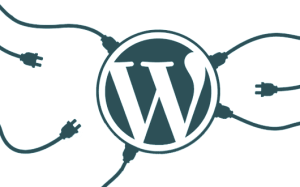
The WordPress logo with wires connected to it to show the illustration of plugins connected to the WordPress system.
Blog

WordPress in 2025

WordPress 2025 — wordPress in 2025 is one of the most important topics for WordPress site owners. Read on to learn how it works and what practical steps you can take today. Leading the Next Generation of Web Development As we step into 2025, WordPress continues to redefine the web development landscape, evolving to meet

Read More »
WordPress

10 Ways to Supercharge your Website Loading Speed in 2025

10 Ways Supercharge — 10 Ways to Supercharge your Website Loading Speed in 2025 is one of the most important topics for WordPress site owners. Read on to learn how it works and what practical steps you can take today. Is your website crawling when it should be sprinting? In today’s fast-paced digital world, website

Read More »
Blog

The Power of Membership Plugins for WordPress

Power Membership Plugins — the Power of Membership Plugins for WordPress is one of the most important topics for WordPress site owners. Read on to learn how it works and what practical steps you can take today. Unlocking the Power of Membership Plugins for WordPress In the ever-evolving landscape of digital content and e-commerce, maintaining

Read More »
Blog

How to Monetize Your WordPress Blog in 2025: A Comprehensive Guide

Monetize WordPress Blog — how to Monetize Your WordPress Blog in 2025: A Comprehensive Guide is one of the most important topics for WordPress site owners. Read on to learn how it works and what practical steps you can take today. Starting a WordPress blog is an exciting journey, but turning your passion into a

Read More »
Blog

Keep Your WooCommerce Store Running Smoothly

Keep WooCommerce Store — keep Your WooCommerce Store Running Smoothly is one of the most important topics for WordPress site owners. Read on to learn how it works and what practical steps you can take today. 9 Important Steps to Keep Your WooCommerce Store Running Smoothly, Securely, and Effectively Running a WooCommerce store offers incredible

Read More »
WordPress Plug-ins in 2022
WordPress

Managed WordPress Hosting Vs WordPress Maintenance

Managed WordPress Hosting — managed WordPress Hosting Vs WordPress Maintenance is one of the most important topics for WordPress site owners. Read on to learn how it works and what practical steps you can take today. WordPress maintenance involves a broader range of services aimed at keeping your website running smoothly, secure, and up-to-date. Companies

Read More »
SEO

Are Premium SEO Plugins Worth it for WordPress

Search Engine Optimization (SEO) is a critical component for any website aiming to achieve visibility and attract organic traffic. For WordPress users, the question often arises: Are premium SEO plugins worth the investment? The landscape is crowded with options, but among the most notable are MathRank, Yoast SEO, and All-in-One SEO. Each offers a suite

Read More »
Fix WordPress Errors
Blog

10 Common WordPress Errors and how to Fix them

Here are 10 common WordPress errors and how to fix them:1. White Screen of Death (WSOD)Cause: This is usually caused by a PHP error, plugin conflicts, or theme issues.Fix:• Increase memory limit by adding define(‘WP_MEMORY_LIMIT’, ’64M’); to your wp-config.php.• Deactivate all plugins via FTP by renaming the plugins folder.• Switch to a default theme by

Read More »