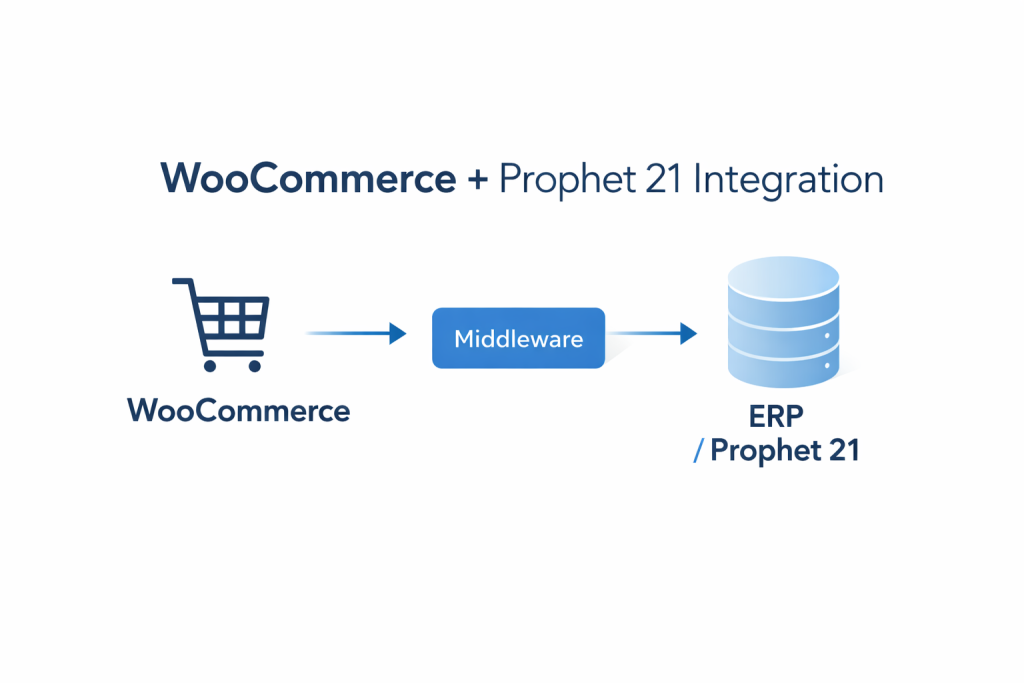
Manufacturers Connect Website — how Manufacturers Connect Their Website to Their ERP (Without Breaking Everything) : ERP integration with WooCommerce : Prophet 21 integration is one of the most important topics for WordPress site owners. Read on to learn how it works and what practical steps you can take today.
Prophet 21 integration with WooCommerce helps manufacturers eliminate double entry, pricing mistakes, and inventory issues.
In today’s competitive e-commerce landscape, businesses need seamless data flow between their online stores and backend systems to maintain operational efficiency. **ERP integration with WooCommerce** has become essential for companies looking to streamline their operations, reduce manual data entry, and provide exceptional customer experiences. This comprehensive guide explores how **Prophet 21 integration** and other ERP solutions can transform your WooCommerce store into a powerful, automated business hub that synchronizes inventory, orders, and customer data across all platforms.
## What is ERP Integration and Why Does Your WooCommerce Store Need It?
Enterprise Resource Planning (ERP) systems serve as the central nervous system for modern businesses, managing everything from inventory and financials to customer relationships and supply chain operations.
When you implement ERP integration with WooCommerce, you create a unified ecosystem where your online store communicates directly with your backend business processes.
### Benefits of Seamless ERP Integration
The advantages of connecting your ERP system to WooCommerce extend far beyond simple data synchronization. Real-time inventory updates ensure that customers never purchase out-of-stock items, while automated order processing reduces the risk of human error and speeds up fulfillment times. Financial data flows seamlessly between systems, providing accurate reporting and eliminating the need for manual reconciliation.
Customer service improvements are equally significant.
When support teams have access to complete order histories, inventory levels, and customer information through integrated systems, they can resolve issues faster and provide more personalized service. This level of integration also enables advanced features like automated reorder notifications and personalized product recommendations based on purchase history.
### Common Integration Challenges
Despite the clear benefits, many businesses hesitate to pursue ERP integration due to perceived complexity. Data mapping between different systems can be challenging, especially when dealing with custom fields or unique business processes. Legacy ERP systems may lack modern APIs, requiring custom development work or middleware solutions.
Security concerns also play a significant role in integration planning. Ensuring that sensitive business and customer data remains protected during transmission and storage requires careful attention to encryption, authentication, and access controls. Additionally, maintaining data consistency across multiple systems requires robust error handling and conflict resolution mechanisms.
## Popular ERP Systems for WooCommerce Integration
The ERP landscape offers numerous solutions, each with unique strengths and integration capabilities. Understanding the options available helps businesses make informed decisions about which system best fits their needs and budget.
### Enterprise-Level Solutions
SAP Business One stands out as a comprehensive solution for larger organizations requiring extensive customization and scalability. Its robust API framework facilitates smooth WooCommerce integration, though implementation typically requires significant technical expertise and investment. The system excels in manufacturing environments where complex inventory tracking and production planning are essential.
Oracle NetSuite offers cloud-based flexibility with strong e-commerce integration capabilities. Its native SuiteCommerce platform can work alongside WooCommerce through various integration methods, providing real-time synchronization of financial data, inventory levels, and customer information.
The system’s scalability makes it suitable for rapidly growing businesses.
Microsoft Dynamics 365 Business Central provides excellent integration options for businesses already invested in the Microsoft ecosystem. Its modern API architecture and extensive third-party connector ecosystem make WooCommerce integration relatively straightforward, while offering powerful business intelligence and reporting capabilities.
### Mid-Market and Specialized Solutions
Sage 100 and Sage X3 serve mid-market businesses with industry-specific requirements. These systems offer solid integration capabilities through various middleware solutions and direct API connections.
Their strength lies in providing industry-specific functionality while maintaining reasonable implementation costs.
Epicor Prophet 21 specializes in distribution and wholesale operations, making it an excellent choice for B2B e-commerce scenarios. The system’s focus on inventory management, pricing structures, and customer-specific catalogs aligns well with complex WooCommerce implementations serving business customers.
### Small Business ERP Options
QuickBooks Enterprise and Xero provide entry-level ERP functionality with straightforward WooCommerce integration options. These solutions work well for smaller businesses that need basic inventory management and financial synchronization without the complexity of enterprise-level systems.
## Technical Approaches to ERP Integration with WooCommerce
Successfully implementing ERP integration requires choosing the right technical approach based on your specific requirements, budget, and technical capabilities. Each method offers distinct advantages and considerations.
### API-Based Integration
Modern ERP systems typically offer RESTful APIs that enable direct communication with WooCommerce. This approach provides real-time data synchronization and allows for custom integration logic tailored to specific business requirements. API-based integration offers the most flexibility but requires significant development expertise.
The REST API approach excels in scenarios requiring immediate data updates, such as inventory synchronization or order status changes. However, it also demands robust error handling and retry mechanisms to ensure data consistency during network interruptions or system maintenance periods.
### Middleware Solutions
Integration platforms like Zapier, Celigo, and Boomi provide pre-built connectors that simplify the integration process. These solutions offer visual workflow builders that allow non-technical users to configure data flows between systems. While less flexible than custom API integration, middleware solutions significantly reduce implementation time and ongoing maintenance requirements.
Middleware platforms excel at handling data transformation and mapping between systems with different data structures. They also provide monitoring and alerting capabilities that help identify and resolve integration issues quickly.
### File-Based Integration
For businesses with less complex integration requirements, file-based synchronization using CSV or XML formats can provide a cost-effective solution. This approach typically involves scheduled data exports and imports between systems, making it suitable for scenarios where real-time synchronization isn’t critical.
While file-based integration lacks the immediacy of API-based approaches, it offers simplicity and reliability.
The method works particularly well for businesses with predictable data update patterns and limited technical resources.
## Implementation Best Practices and Considerations
Successful ERP integration projects require careful planning and attention to detail. Following established best practices helps ensure smooth implementation and long-term success.
### Planning and Requirements Gathering
Before beginning any integration project, conduct a thorough analysis of your current business processes and data flows. Document existing workflows, identify pain points, and define clear objectives for the integration.
This planning phase should involve stakeholders from all affected departments to ensure comprehensive requirements gathering.
Data mapping represents one of the most critical aspects of integration planning. Create detailed documentation showing how data elements in your ERP system correspond to WooCommerce fields. Pay special attention to custom fields and unique business requirements that may require special handling.
### Security and Compliance
Implement robust security measures throughout the integration architecture.
Use encrypted connections for all data transmission, implement proper authentication mechanisms, and establish appropriate access controls. Regular security audits help identify and address potential vulnerabilities before they become problems.
Consider compliance requirements relevant to your industry and geographic location. GDPR, PCI DSS, and other regulations may impose specific requirements on how customer and payment data is handled during integration processes.
### Testing and Quality Assurance
Develop comprehensive testing procedures that cover all integration scenarios, including edge cases and error conditions.
Test data synchronization under various load conditions to ensure the integration performs well during peak business periods. Establish rollback procedures that allow quick recovery if integration issues arise.
User acceptance testing should involve actual business users who will interact with the integrated system daily. Their feedback helps identify usability issues and ensures the integration supports real-world business processes effectively.
## Conclusion
ERP integration with WooCommerce represents a transformative opportunity for businesses seeking to streamline operations and enhance customer experiences.
Whether implementing Prophet 21 integration for distribution-focused operations or connecting enterprise-level solutions like SAP or NetSuite, the key to success lies in careful planning, choosing the right technical approach, and following established best practices.
The investment in proper ERP integration pays dividends through reduced manual work, improved data accuracy, and enhanced operational efficiency. As e-commerce continues to evolve, businesses with well-integrated systems will be better positioned to adapt to changing market conditions and customer expectations.
By understanding the available options, technical approaches, and implementation considerations outlined in this guide, businesses can make informed decisions about their ERP integration strategy and achieve the seamless data flow that modern commerce demands.
Manufacturers Connect Website: FAQ
Is Prophet 21 compatible with WooCommerce?
Yes — WooCommerce can integrate with Prophet 21 using APIs or middleware to sync customers, pricing, inventory, and orders.
What’s the biggest risk in ERP integration projects?
Trying to sync everything at once. Start with inventory + pricing + orders, then expand.
Read More: API Integration Guide – Connecting B2B Manufacturing Portals to Back-Office ERPs