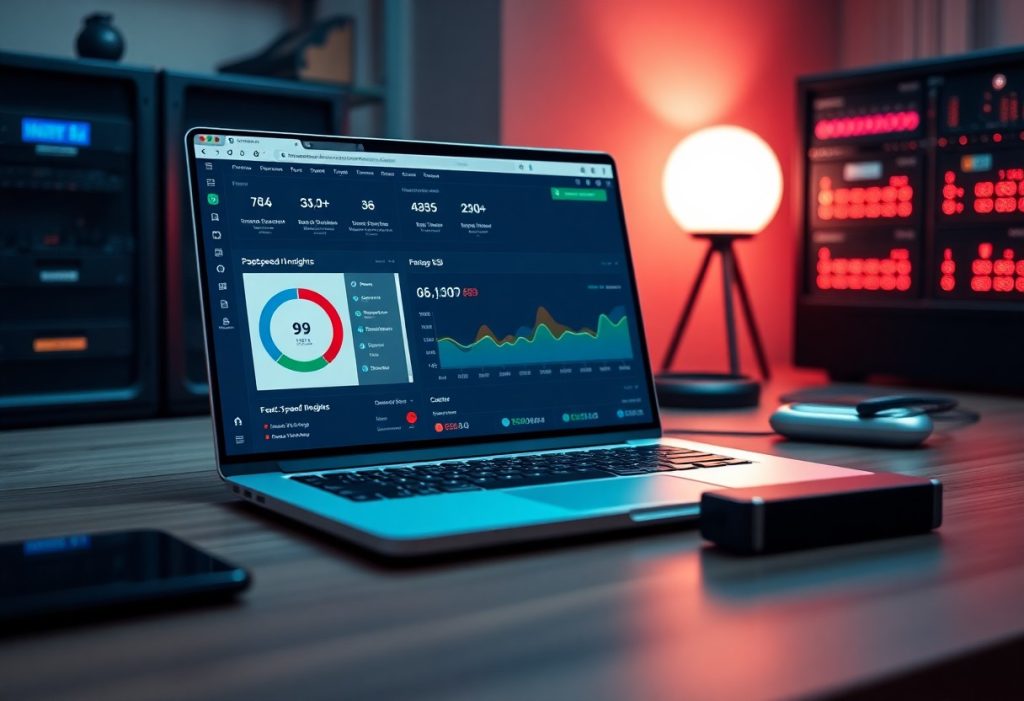
With targeted tweaks you can slash load times: optimize images, enable caching, use a CDN, and remove heavy plugins that slow your site for a faster user experience.
Key Takeaways:
- Page caching plus a CDN: Use full-page/object caching plugins and a CDN to serve prebuilt pages and static assets from edge servers, drastically lowering server load and latency.
- Optimize and defer assets: Compress images, convert to WebP, enable lazy loading, minify CSS/JS, and defer noncritical scripts to eliminate render-blocking resources.
- Trim site bloat and tune the stack: Remove unused plugins/themes, choose a lightweight theme, upgrade PHP/version and hosting where needed, and run periodic database cleanups and object caching.
Selecting a High-Performance Infrastructure
Choosing a high-performance stack means picking hosts that provide SSD storage, HTTP/2/3 support, and regional edge nodes. You should prioritize providers with predictable CPU and RAM allocations, clear resource limits, and integrated CDNs so you avoid slowdowns during traffic spikes. Optimized server software like Nginx or LiteSpeed can dramatically reduce response times compared to unoptimized shared setups.
Transitioning from Shared Hosting to Managed WordPress Environments
Moving from cheap shared hosting to a managed WordPress environment gives you PHP tuning, built-in caching, and automated security patches that cut page load times. You will escape the danger of noisy neighbors that consume I/O and CPU, and gain staging sites and backups that simplify updates. You should weigh cost against performance gains and confirm the host’s update policy before migrating.
Implementing the Latest PHP Versions for Enhanced Execution Speed
Updating to the latest supported PHP version can bring substantial performance boosts; PHP 8.x often runs code several times faster than older branches. You must test themes and plugins first because outdated extensions can break on newer PHP, creating downtime. Hosts usually let you switch PHP versions in a control panel or via WP-CLI; after switching, monitor error logs and site behavior before confirming the change.
Testing the upgrade on a staging copy reduces risk: create a snapshot, enable the new PHP, then run your critical flows and automated tests. Enable OPcache and set reasonable memory limits to see immediate execution gains, and compare response times using real-user metrics or synthetic tests. If plugins fail, roll back and contact developers; avoid forcing incompatible updates on production sites.
Implementing Multi-Layered Caching Solutions
Implementing layered caching ties your CDN, server cache, and object store into a coordinated stack so you reduce round trips and stabilize response times; you should define what each tier serves so static files hit the edge, HTML fragments are cached on the server, and DB queries are rarely repeated.
Deploying Server-Side Caching with Varnish or Nginx
Varnish and Nginx can deliver full-page caching or partial responses via ESI and proxy_cache, and you should set sensible TTLs, purge hooks, and header rules so cache hit rates increase while minimizing the risk of serving stale content.
Utilizing Object Caching for Database Query Efficiency
Object caching stores query results in Redis or Memcached to cut repeated MySQL work; you should implement persistent object cache plugins, use clear key namespaces, and keep hot queries in memory for faster reads and lower DB load.
Redis tuning matters: pick an eviction policy, assign TTLs, avoid caching sensitive per-user data, and monitor memory usage, cache hit rate, and key cardinality to prevent OOM and complex cache invalidation problems.
Streamlining Frontend Code and Script Delivery
Minification and Concatenation of CSS and JavaScript Files
Minifying your CSS and JS strips whitespace and comments to reduce file size, shrink payloads, and speed downloads; you can automate this with build tools or plugins while keeping source maps for debugging.
Combining files cuts HTTP requests and can speed initial load, but concatenation may cause cache invalidation and break modular scripts-prefer it when you serve many tiny files or lack HTTP/2.
Eliminating Render-Blocking Resources with Defer and Async
Deferring noncritical scripts causes the browser to parse HTML first, which reduces render-blocking and improves perceived speed; you should apply defer to scripts that don’t need immediate execution.
Async downloads and executes scripts as they arrive, which avoids blocking but can introduce race conditions if order matters; apply async to analytics and independent third-party widgets.
Browser behavior differs: defer preserves execution order while async does not, so when you need predictable sequencing choose defer and when independence matters choose async; you should run Lighthouse audits to avoid breaking critical UI.
Stripping Unnecessary WordPress Core Bloat and Scripts
Stripping unused core features like emojis, embeds, and block CSS trims requests and payload, which reduces bloat and speeds rendering; you should confirm which features your theme and plugins require.
Removing unnecessary plugin assets by dequeueing or using an asset manager clears client-side noise, but aggressive removal can break functionality, so test changes in a controlled environment.
Testing changes with Query Monitor and performance audits ensures you didn’t disable a required script; you should validate on staging and apply wp_dequeue_script carefully to prevent regressions.
Leveraging Global Content Delivery Networks
CDNs place copies of your assets at worldwide points-of-presence so pages load from the nearest node, cutting latency and origin load. You should pick a provider that supports HTTP/2 or HTTP/3, edge caching, and fast invalidation; misconfiguration can produce stale content or break secure delivery.
Implementing Edge Caching for Geographic Latency Reduction
Edge caching serves static HTML fragments, API responses, and assets from nearby POPs so your visitors experience lower round-trip time; you should set precise cache-control headers, distinguish cache rules for authenticated versus public content, and use origin shielding to protect your server during spikes.
Offloading Static Media to Distributed Global Nodes
Offloading images, videos, and downloads to CDN-backed object storage removes heavy bandwidth from your origin and speeds delivery; you should serve optimized formats, enable lazy loading, and apply far-future expires with fingerprinted filenames to maximize cache hits while avoiding accidental cache bloat.
Configure a workflow that uploads media to S3-compatible buckets or uses pull zones so the CDN caches on demand; set correct CORS, enable signed URLs for gated content, and automate filename versioning to eliminate update conflicts and reduce manual cache purges.
Summing up
To wrap up, you can make your WordPress site much faster by using page caching and a CDN, optimizing images and assets, updating PHP and plugins, and minimizing HTTP requests with lazy loading and minification.
You must audit performance with Lighthouse or GTmetrix, remove heavy plugins, pick a lightweight theme and quality host, then monitor metrics to keep load times low.
FAQ
Q: What caching strategies give the biggest speed gains for a WordPress site?
A: Use a combination of page caching, object caching, and PHP OPcache to cut server processing time. Configure browser cache headers (Cache-Control, Expires) for static assets and implement cache-busting for updated CSS/JS. Add Redis or Memcached for persistent object caching on database-heavy sites, and set separate rules for logged-in users and mobile devices via plugins like WP Rocket, W3 Total Cache, or WP Super Cache.
Q: How should I optimize images so they stop slowing my pages down?
A: Serve images in WebP or AVIF and provide responsive sizes with srcset so browsers choose the best file. Compress images with tools or plugins such as ShortPixel, Imagify, or EWWW Image Optimizer and avoid uploading oversized originals. Use native lazy-loading (loading=”lazy”) for offscreen media and create properly sized thumbnails to prevent browsers from downloading unnecessarily large images.
Q: Which techniques reduce render-blocking CSS and JavaScript without breaking the site?
A: Minify CSS and JavaScript to shrink transfer sizes, and avoid blind file concatenation when the server supports HTTP/2, since multiplexing makes many small files efficient. Inline critical CSS for above-the-fold content and defer or async nonvital scripts to prevent render-blocking. Remove unused CSS with tools like PurgeCSS or use optimization plugins that safely strip unused styles, and host fonts locally with font-display: swap to avoid FOIT.
Q: What server-side and CDN optimizations should I implement for global performance?
A: Put static assets on a CDN (Cloudflare, BunnyCDN, KeyCDN) to serve files from edge locations and reduce latency for distant visitors. Enable GZIP or Brotli compression and enable HTTP/2 or HTTP/3 on the server for multiplexed, faster transfers. Run the latest supported PHP version (8.x), choose hosting with sufficient PHP workers and fast storage, and limit slow external third-party requests.
Q: How can I reduce plugin bloat and keep the database from slowing page loads?
A: Audit active plugins for performance impact and remove or replace ones that inject heavy scripts or make slow queries. Optimize the database by cleaning post revisions, transients, and autoloaded options with WP-Optimize or WP-Sweep and schedule routine cleanup tasks. Control the Heartbeat API frequency, enable a persistent object cache for dynamic pages, and replace heavyweight features with lightweight code snippets when possible.