Just when I thought my online store was on the right track, I realized that lost carts were sneaking up on me like a ninja in the night. Fear not! I’m here to share how to tackle this beast and bring your abandoned carts back to life. With a few simple steps, you can boost your sales and keep those customers engaged without breaking a sweat. Let’s explore the world of WooCommerce Cart Recovery and reclaim those disappearing sales!
Key Takeaways:
- Enable abandoned cart recovery tools to automatically send reminders to customers who leave items in their cart.
- Utilize email marketing techniques to create effective follow-up messages that encourage cart completion.
- Monitor analytics to assess the performance of recovery strategies and make necessary adjustments for better results.
The “Woo” in WooCommerce: Why Cart Recovery Matters
Cart recovery isn’t just a buzzword; it’s an important strategy that can transform your eCommerce results. With over 70% of online shoppers abandoning their carts, ignoring this issue means letting potential profit slip away. By understanding and implementing effective recovery tactics, I can not only salvage these lost sales but also build brand loyalty and improve customer relationships. Effectively, cart recovery is your second chance to woo back those guests who were once ready to hit ‘checkout.’
The Psychology of Abandoned Carts
Understanding why customers abandon their carts can be a game changer. Factors like unexpected costs, complicated checkout processes, or simple distractions often stop a buyer in their tracks. I’ve learned that by simplifying the shopping experience and communicating transparently, I can positively influence shoppers’ behaviors. Addressing these psychological barriers not only reduces abandonment but also boosts trust in my brand.
How Recovery Boosts Your Bottom Line
Cart recovery directly impacts your revenue by converting hesitation into dollars. By employing follow-up emails, retargeting ads, and personalized incentives, I can gently nudge those potential buyers back to complete their purchases. Studies show that businesses implementing cart recovery strategies can see up to a 30% increase in conversions, making recovery tools not just optional, but necessary.
For instance, one case study revealed that an eCommerce store improved its recovery rate by 25% within a few weeks of implementing automated follow-up emails. With just a simple reminder, along with an enticing discount offer, they turned abandoned carts into sales, showcasing how powerful a well-timed message can be. This approach transforms lost opportunities into consistent sales, solidifying the value of cart recovery strategies in maximizing your bottom line.
Setting the Scene: Preparing Your Store for Recovery
Before entering into cart recovery strategies, it’s vital to ensure your store is primed for success. A user-friendly checkout process, clear display of shipping costs, and effective customer support can all influence whether a customer completes their purchase. Fine-tuning your product pages, optimizing loading speeds, and offering flexible payment options are just a few aspects that can significantly improve conversion rates. By laying a solid foundation, you’re not only enhancing the customer experience but also equipping your store to recover abandoned carts effectively.
Key Features to Enable
Enabling the right features is important for successful cart recovery solutions. I recommend focusing on:
- Email Reminders to notify customers of their abandoned carts.
- Discount Codes to encourage customers to complete their purchases.
- Exit-Intent Popups to capture attention before the customer leaves your site.
- Customer Segmentation to tailor messages based on shopping behavior.
- Analytics Tracking to measure the effectiveness of your strategies.
Recognizing these features will empower you to optimize your recovery tactics and capitalize on missed revenue opportunities.
How to Set Up Email Notifications
Setting up email notifications for cart recovery is straightforward and can make a significant impact on your sales. By utilizing WooCommerce’s built-in settings or plugins, you can automate reminder emails that are sent to customers after they’ve left items in their carts. Make sure to customize the email content to match your brand tone, add product images, and possibly include a discount to sweeten the deal. Testing different timings for the emails-like 1 hour vs. 24 hours after abandonment-will help determine what works best for your audience.

Crafting the Perfect Recovery Emails
To truly captivate your customers, those recovery emails need to strike the right balance between urgency and empathy. I find that a well-crafted email can do wonders to bring back lost sales. You want to acknowledge their abandoned cart while giving them a nudge to complete their purchase. Incorporating a personalized touch, like recalling their browsed products, can convincingly guide them back to your store with a smile.
Tips for Compelling Subject Lines
Your subject line is the first thing your customers see and can make or break their decision to open the email. I suggest keeping it short, engaging, and reflective of the email content. Phrases that ignite curiosity or create a sense of urgency work wonders.
- Use action-oriented words
- Add personalization with the customer’s name
- Incorporate exclusive offers or discounts
- Create a sense of urgency with time-sensitive phrases
Knowing your audience and what drives them can elevate your open rates significantly.
Factors to Personalize Your Message
Personalization is the secret sauce that converts a generic email into a powerful reminder. I like to include specific details about the items they left behind and their past interactions with my store. This approach not only shows that I care but also that I’m paying attention to their preferences.
- Use customer names to create a connection
- Include product images of abandoned items
- Refer to their purchase history for relevant suggestions
- Send emails at a strategic time based on their activity
Any effort to tailor your message can lead to increased engagement and improved sales outcomes.
By implementing these personalization tactics in your recovery emails, you’ll foster a deeper connection with your customers. I’ve seen firsthand how referencing their previous purchases or including a simple question can boost response rates. These personalized touches make the customer feel valued and understood, making them more likely to return. As you refine your approach, consider these key strategies:
- Address pain points they might face
- Include urgent calls to action that prompt decisions
- Offer tailored discounts based on their shopping habits
- Follow up promptly after the cart is abandoned
Any level of personalization you add will enrich the shopping experience and ultimately drive conversions.
Timing is Everything: When to Send Recovery Messages
Getting the timing of your cart recovery messages right can dramatically boost your conversions. Ideally, you want to reach out while the memory of their browsing experience is still fresh. Studies suggest that sending your first recovery email within one hour of abandonment results in a 20% higher open rate compared to later attempts. By understanding when your customers are most responsive, you can fine-tune your outreach to optimize recovery rates.
The Goldilocks Zone of Email Timing
Striking the perfect timing for recovery emails is akin to finding the ‘Goldilocks zone’-not too early, not too late. I typically find that sending the first email within an hour conjures urgency, whereas a follow-up 24 hours later allows potential customers time to reconsider. According to research, most recoveries happen within the first 72 hours, making this window pivotal for your messaging strategy. Timing can significantly affect whether a cart becomes a purchase.
Multiple Touchpoints: A Balanced Approach
A strong recovery strategy leverages multiple touchpoints to nurture leads. I recommend an initial email followed by a second reminder and, if necessary, a last-chance notification. Each email can build on the last, providing new incentives or additional information. This staged approach not only keeps your brand top of mind but also allows you to adapt your message based on customer engagement.
Utilizing multiple touchpoints can significantly enhance the chances of cart recovery. For instance, an initial email can contain a personalized reminder, while a second might include a small discount or free shipping offer. By spacing out these contacts-within one hour, 24 hours, and then a few days later-you create a gentle nudge rather than a pressure tactic. This balance helps cater to various customer types, from the impulse buyer to those who need a bit more convincing before hitting that checkout button.
Tech-Savvy Solutions: Plugins for Easy Recovery
Choosing the right plugins can transform your cart recovery strategy from tedious to effortless. Thanks to a plethora of available options, I can automate follow-ups and tailor reminders to re-engage customers right when they need it. The integration of these tech-savvy solutions means no more manual tracking; instead, I can focus on what truly matters-growing my business.
Best Plugins to Consider
Some standout plugins that I’ve found invaluable include WooCommerce Cart Abandonment Recovery, which sends automated emails to remind customers of their abandoned carts, and Abandoned Cart Pro, offering insights to refine recovery strategies. These plugins not only boost recovery rates, but they’re also user-friendly for both me and my customers.
How to Integrate Them Seamlessly
Integrating these plugins with my WooCommerce store is a straightforward process. After installation, I simply configure the settings to match my brand’s tone and specify the timing of reminders to send them out at optimal moments. Additionally, syncing these plugins with mailing services ensures a seamless flow of customer data, enhancing overall efficiency.
To fully leverage plugin capabilities, I recommended customizing email templates for a unique touch that resonates with your audience. Most plugins allow me to incorporate graphics, special offers, and personalized messages, which drastically improves engagement rates. Setting up promotional triggers based on customer behavior further ensures that my recovery strategy isn’t just reactive, but proactive, increasing the likelihood they’ll return to complete their purchase.
Analyzing Your Success: Metrics that Matter
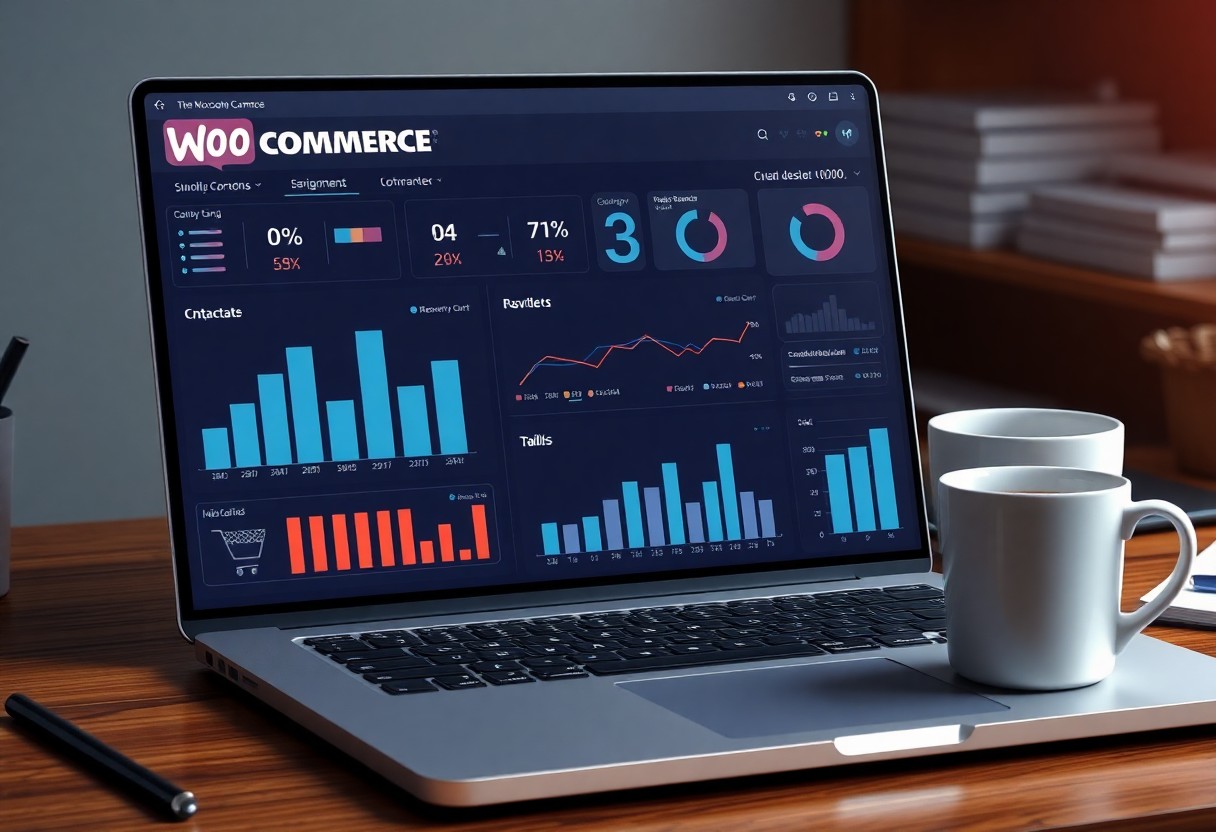
Tracking the right metrics is crucial for evaluating the success of your WooCommerce cart recovery efforts. I focus on conversion rates, cart abandonment rates, and average order values to gauge how well my strategies are working. These numbers not only reflect immediate financial impact but also highlight areas needing improvement. Regularly reviewing these metrics allows me to adapt and optimize my tactics based on real performance data.
Key Performance Indicators to Track
Monitoring specific Key Performance Indicators (KPIs) is vital for understanding your cart recovery effectiveness. I keep a keen eye on the recovery rate, which shows the percentage of customers who complete their purchase after re-engagement. Measuring time to recover, or how long it takes for customers to return to their cart, offers insights into when and how to reach out. Additionally, analyzing return on investment (ROI) on recovery campaigns helps determine which methods are delivering the best bang for your buck.
Using Data to Refine Your Strategy
Data analysis is where I can pivot my approach in real time. By examining customer behaviors and patterns, I uncover insights that drive my recovery tactics. For instance, if specific email subject lines yield higher open rates, I can double down on those. Additionally, segmenting customers based on their purchase history allows me to tailor messages that resonate with different demographics. This refinement process ensures my strategies evolve alongside shifting consumer preferences.
Employing data-driven insights doesn’t just streamline my cart recovery plan; it enhances overall customer experience. For example, if I discover that a particular demographic is more responsive to discounts vs. free shipping, I can target them more effectively. If feedback indicates certain messages resonate well, such as personalized reminders versus generic prompts, I adjust my communication style accordingly. Continuously testing variables lets me hone in on what works best, ultimately boosting my conversion rates and expanding my customer base over time.
To wrap up
With this in mind, setting up WooCommerce cart recovery is like putting a seatbelt on your online store-vital for safety! As I’ve shown you, it’s all about engaging your customers and gently nudging them back when they’ve left their carts behind. You can utilize various tools and strategies that will not only save those abandoned sales but also give your business a boost. So go ahead, dust off that shopping cart of yours, and start reeling in those potential sales while multiplying your profits with a wink!
FAQ
Q: What is WooCommerce Cart Recovery?
A: WooCommerce Cart Recovery refers to techniques and tools designed to recover sales from customers who have added products to their cart but did not complete the purchase. This can include automated email reminders and various strategies aimed at encouraging customers to return and finalize their transaction.
Q: How can I enable cart recovery emails in WooCommerce?
A: To enable cart recovery emails in WooCommerce, you can use a plugin such as ‘WooCommerce Cart Abandonment Recovery.’ After installing and activating the plugin, navigate to the plugin settings in your WordPress dashboard, configure the email templates, timing, and recipients, and save your changes to start sending cart recovery emails.
Q: What are some effective strategies for improving cart recovery rates?
A: Effective strategies for improving cart recovery rates include sending personalized follow-up emails with special discounts, creating urgency through limited-time offers, simplifying the checkout process, and using exit-intent popups to capture visitors’ attention before they leave the site without completing their purchase.